

Overview
Agent Memory allows your AI agent to remember information about contacts across conversations. When someone calls or texts back, the agent automatically recalls their history, preferences, and past topics discussed - enabling personalized, contextual service.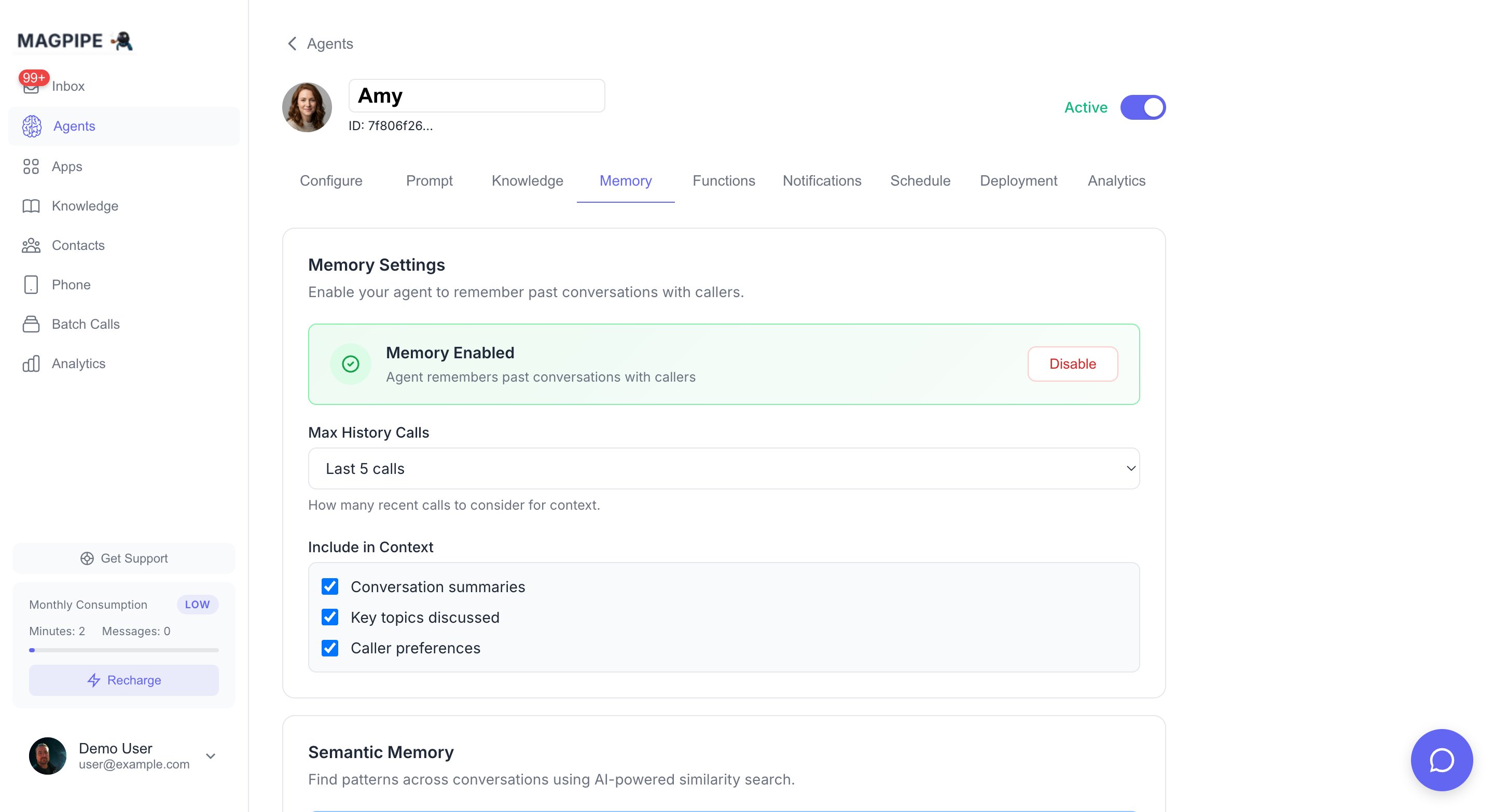
The Memory tab shows stored memories for each contact
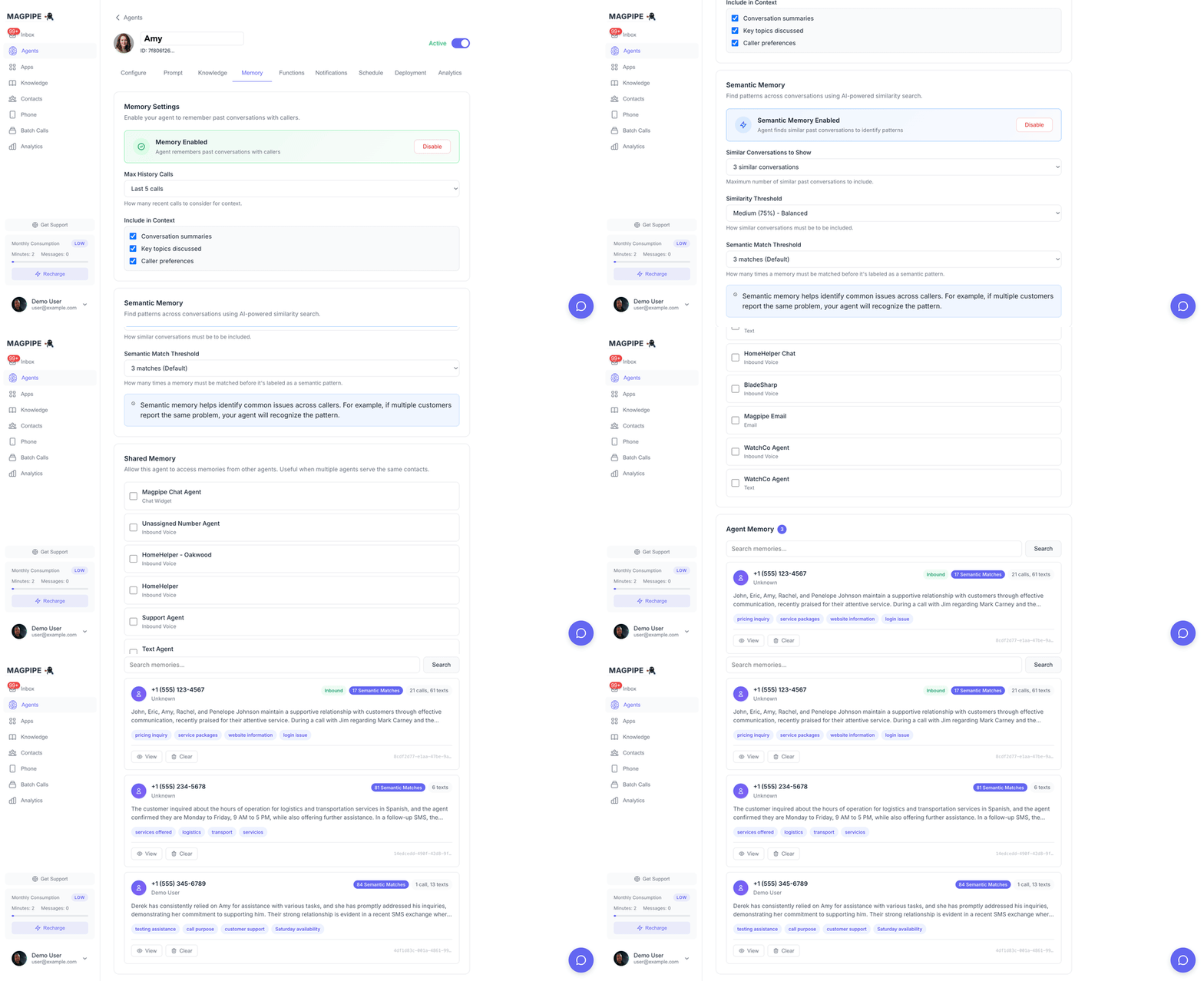
Scroll through memory entries and Semantic Memory configuration
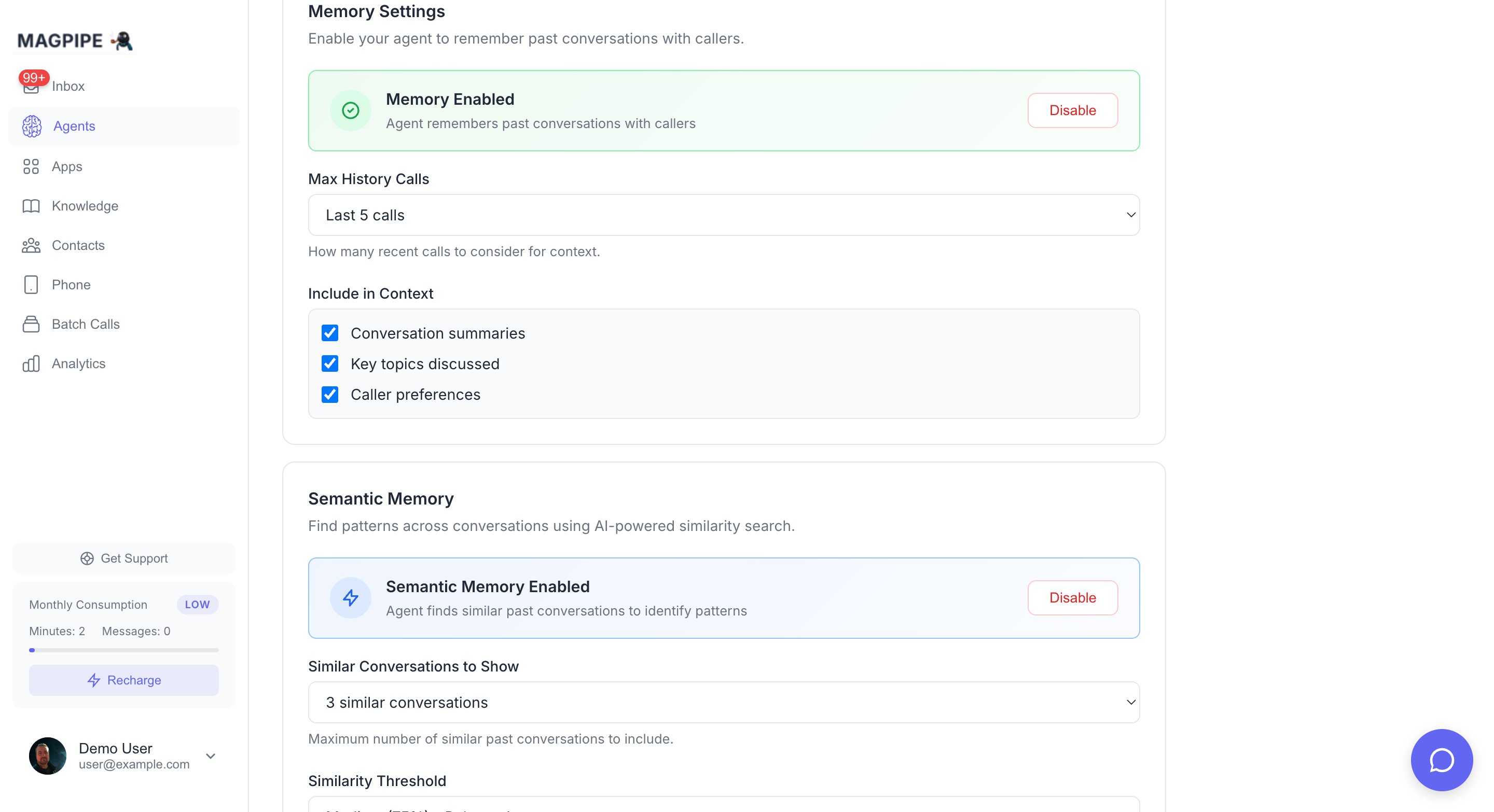
Semantic Memory — AI-powered pattern detection across conversations
“Hi Sarah! Good to hear from you again. Last time we spoke about your order #4521 - did that arrive okay?”
How It Works
What Gets Remembered
Summary
An AI-generated summary of the relationship with this caller:Key Topics
Important subjects discussed across conversations:order issuesrefund requestproduct questionsbilling inquiryappointment scheduling
Preferences
Caller’s stated preferences and communication style:Interaction History
- Number of conversations
- Recent call IDs
- When they last called
Enabling Memory
1
Open Agent Settings
Go to Agents → Select your agent → Memory tab
2
Enable Memory
Click Enable in the Memory Settings section
3
Configure Options
Adjust what information to include in context (optional)
Configuration
Memory Settings
How Context is Injected
When a call or SMS comes in, memory is injected into the system prompt:Semantic Memory
Semantic Memory is an advanced feature that uses AI to find patterns across all contacts, not just individual contact history. It works across both calls and SMS conversations.How It Works
- After each call or SMS conversation, an AI embedding (vector) is generated from the interaction
- When a new interaction comes in, the system searches for similar past conversations
- If patterns are found, they’re added to the agent’s context
Use Cases
Identifying Common Issues
Identifying Common Issues
If 5 customers call about the same bug in your app, semantic memory helps the agent recognize: “Multiple customers have reported this issue. Our team is aware and working on a fix.”
Seasonal Patterns
Seasonal Patterns
“Several customers have asked about holiday shipping deadlines. Here are the cutoff dates…”
Product Launch Questions
Product Launch Questions
When you launch a new product, early callers’ questions help inform responses to later callers.
Configuring Semantic Memory
Threshold Guide:
- 60% (Low): More results, broader matching, may include less relevant conversations
- 75% (Medium): Balanced - good for most use cases
- 85% (High): Fewer results, very precise matching
Semantic memory requires the base Memory feature to be enabled first.
Managing Memories
Viewing Memories
The Memory tab shows all stored caller memories:
Click any memory to view full details including call history.
Editing Memories
Click a memory entry to:- Update the summary
- Add/remove key topics
- Modify preferences
- View call history
Clearing Memories
Single Memory:- Click the memory entry
- Click Clear Memory
- Confirm deletion
- Click Clear All in the Memory section header
- Confirm deletion
Privacy & Data
What’s Stored
Memory data is stored in your Magpipe database:- Linked to contact records (by phone number)
- Associated with specific agent
- Includes AI-generated summaries (not raw transcripts)
- Embeddings for semantic search (vectors, not readable text)
Data Retention
Memories persist indefinitely unless:- Manually cleared via UI
- Contact is deleted
- Agent is deleted
Compliance
For GDPR, CCPA, or other privacy compliance:- Memories can be exported via API
- Individual memories can be deleted on request
- Use “Clear All” for right-to-erasure requests
Best Practices
When to Enable Memory
Enable Memory For
- Repeat customers
- Support lines
- Account management
- Appointment scheduling
- Sales follow-ups
Consider Disabling For
- Anonymous hotlines
- One-time services
- High-privacy contexts
- Extremely high call volume
Prompt Tips
When memory is enabled, adjust your system prompt:Handling Memory Errors
If a caller disputes their memory:- The agent should trust the caller
- Update memory based on new information
- Don’t argue about past conversations
Limits
API Access
Memory can be accessed via the API:Custom Functions
Extend agent capabilities with webhooks
Knowledge Base
Give your agent information to reference