

Overview
Magpipe provides a public status page at status.magpipe.ai that shows the real-time health of all platform services. The page updates every 60 seconds and includes 90-day uptime history.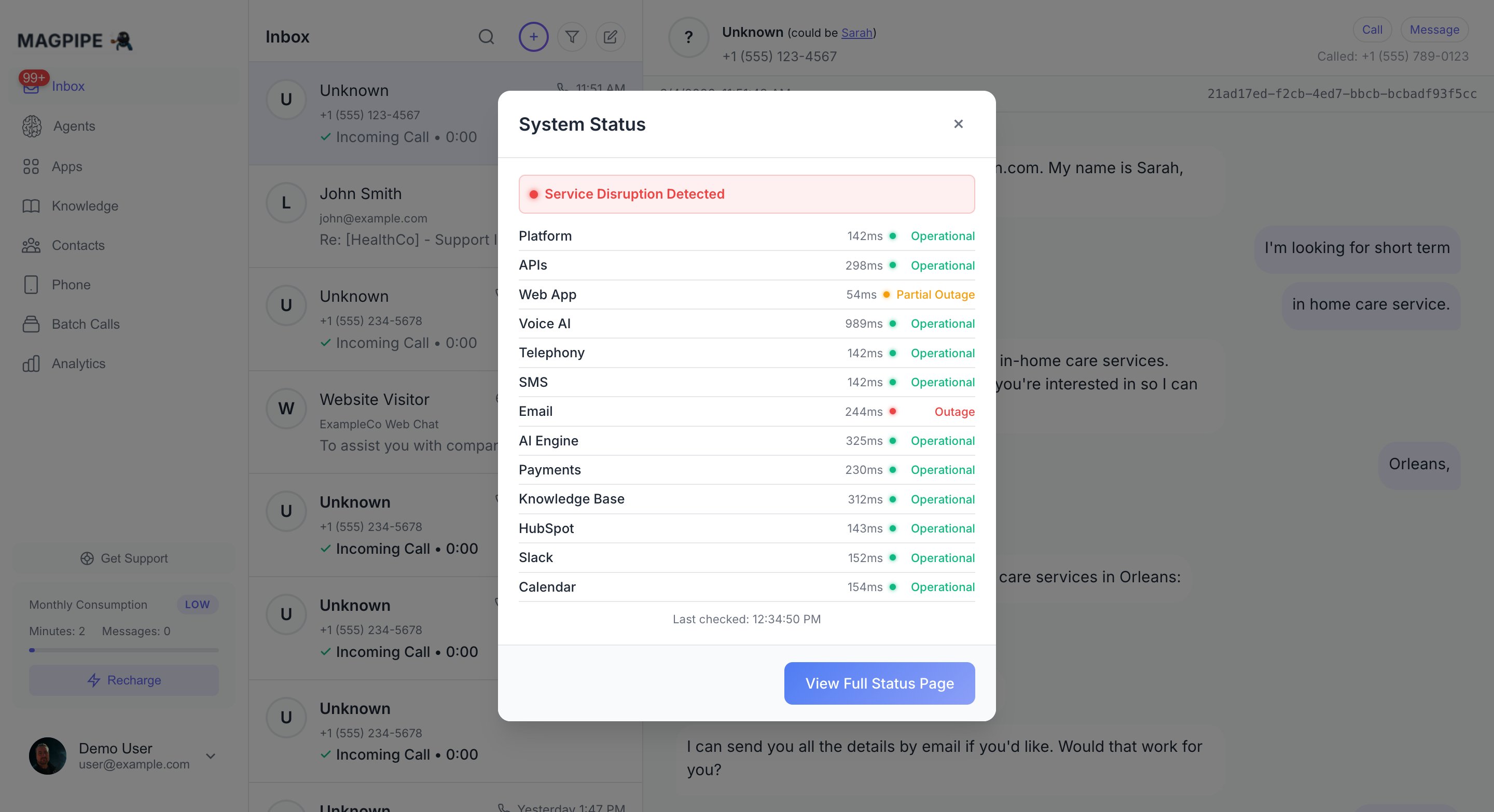
Real-time service health monitoring with 90-day uptime history
Monitored Services
The status page checks 13 services every 5 minutes:Status Levels
- Operational — Service is running normally
- Partial Outage — Service is degraded but functional (high latency, quota warnings)
- Outage — Service is unreachable or returning errors
Uptime History
Each service shows a 90-day uptime bar. Hover over any day to see the exact uptime percentage and any incidents. The history adjusts to your local timezone. Uptime calculation counts both Operational and Partial Outage as “up” — only full outages count as downtime.Subscribe to Alerts
At the top of the status page, you can subscribe to get notified when any service changes status.Email Alerts
Enter your email address to receive HTML notifications with a table showing which services changed, their old and new status, and any details.SMS Alerts
Select your country code and enter your phone number. SMS alerts include the affected service name and new status. SMS subscriptions are confirmed automatically — no confirmation link needed.SMS alerts do not include URLs to avoid carrier spam filtering.
Webhook Alerts
Expand the webhook section and enter your endpoint URL. Webhook subscriptions are confirmed immediately. When a status change occurs, your endpoint receives a POST with:In-App Status Indicator
A status LED appears next to the Magpipe logo in the app sidebar. It updates every 5 minutes:- Green — All systems operational
- Amber — Partial service disruption
- Red — Service outage detected
Unsubscribe
- Email: Click the unsubscribe link in any status email
- SMS: Reply STOP (US numbers)
- Webhook: No automatic unsubscribe — contact support