

Create Your Account
1
Sign Up
Go to magpipe.ai and create an account using your email or phone number.
2
Verify Your Account
Enter the verification code sent to your email or phone.
3
Complete Onboarding
Follow the onboarding wizard to set up your first agent.
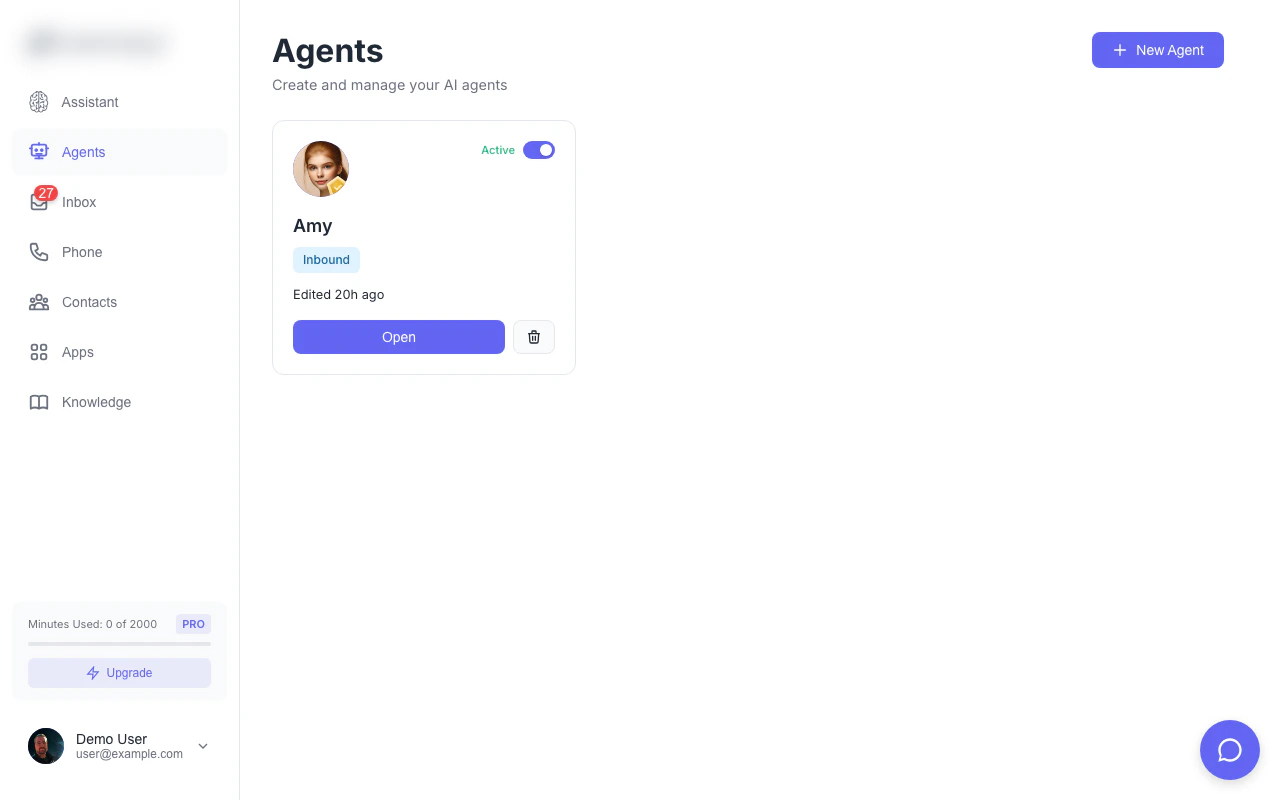
The agents dashboard — your command center for managing AI agents
Set Up Your First Agent
1
Go to Agents
From the dashboard, tap Agents in the bottom navigation.
2
Create New Agent
Tap the + button to create a new agent.
3
Configure Your Agent
- Name: Give your agent a name (e.g., “Sarah - Reception”)
- Greeting: What the agent says when answering calls
- System Prompt: Define the agent’s personality and knowledge
- Voice: Choose from available AI voices
4
Save Agent
Tap Save to create your agent.
Get a Phone Number
1
Go to Numbers
Navigate to Numbers from the sidebar or bottom nav.
2
Add Number
Tap Add Number and search by area code or city.
3
Provision Number
Select a number and tap Get This Number to provision it.
4
Assign Agent
Choose which agent should handle calls to this number.
Test Your Setup
1
Call Your Number
From any phone, call the number you just provisioned.
2
Talk to Your Agent
Your AI agent will answer and respond based on your configuration.
3
Check the Inbox
After the call, go to Inbox to see the call recording and transcript.
Next Steps
Add Knowledge
Train your agent on your business information
Set Up Chat Widget
Add AI chat to your website
Connect Apps
Sync with HubSpot, Cal.com, and more
Configure SMS
Let your agent handle text messages