

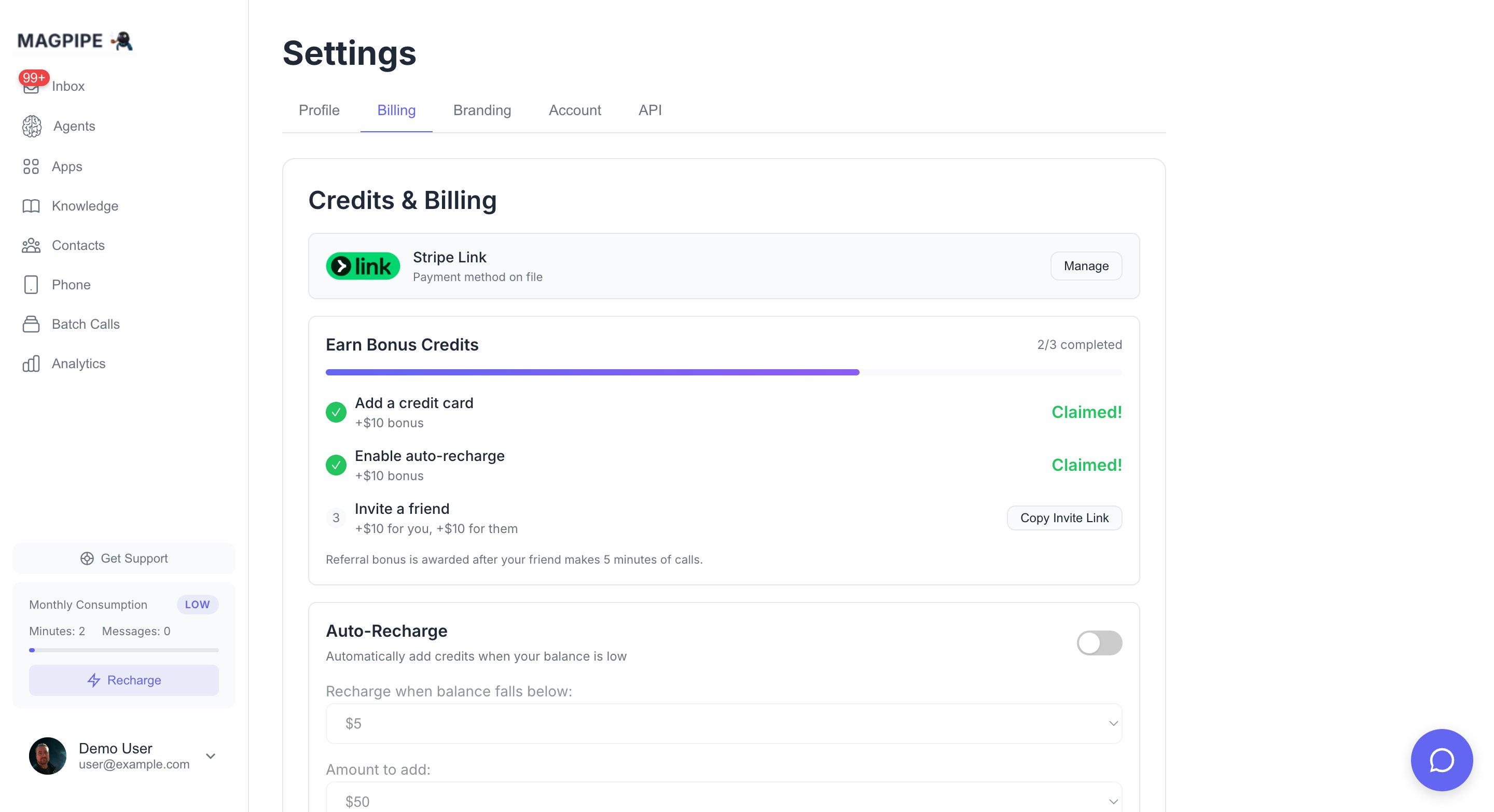
View your balance, manage payment methods, and configure auto-recharge
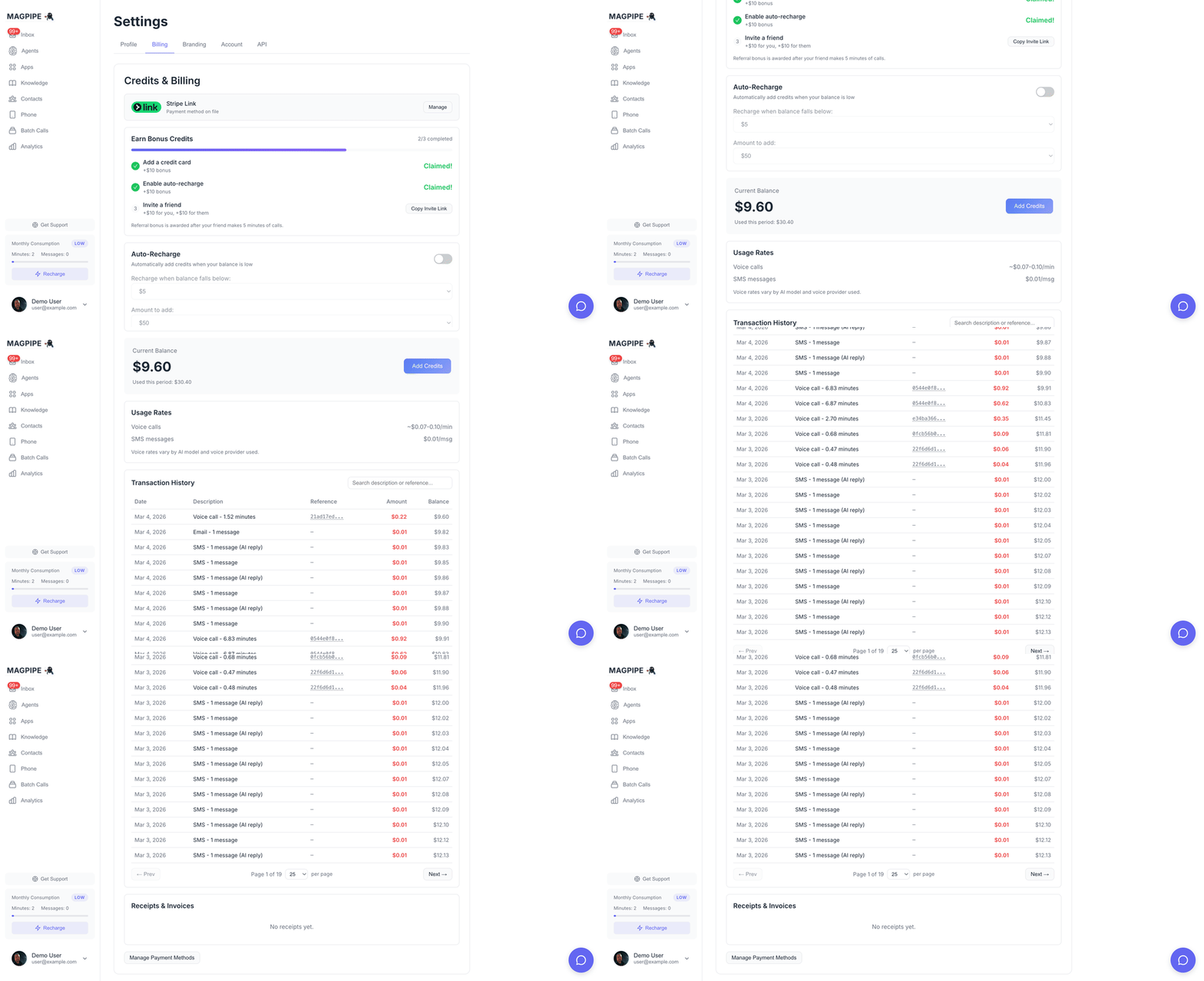
Scroll through billing settings, auto-recharge, and transaction history
How Credits Work
Credits are measured in dollars. When you make calls or send SMS, the cost is deducted from your balance in real-time.What Uses Credits
Voice Call Pricing Breakdown
Voice calls have three cost components:
AI Model Rates (per minute):
Example: A 5-minute call using ElevenLabs voice + GPT-4o-mini costs approximately $0.46
- Voice: 5 × 0.35
- AI: 5 × 0.03
- Telephony: 5 × 0.075
Getting Started
Welcome Bonus
New users receive a $20 welcome bonus when they add a payment method. This gives you enough credits to test the platform extensively. To claim your bonus:- Go to Settings → Billing
- Click Add Payment Method
- Complete the Stripe checkout
- Your $20 bonus is automatically credited
Adding Credits
You can add credits at any time from the Billing tab: Quick Add Options:- $20
- $50
- $100
Auto-Recharge
Never run out of credits mid-call. Auto-recharge automatically tops up your balance when it falls below a threshold.How It Works
- Set a threshold (e.g., $5)
- Set a recharge amount (e.g., $50)
- When your balance drops below 50
Enabling Auto-Recharge
- Go to Settings → Billing
- Toggle Auto-Recharge on
- Set your preferred threshold and amount
Managing Your Billing
View Balance & Usage
Your current balance and period usage are displayed at the top of the Billing tab:Transaction History
All credit transactions are logged and can be viewed in your account. Each transaction shows:- Amount (positive for additions, negative for deductions)
- Type (purchase, deduction, auto-recharge, bonus)
- Description (what it was for)
- Timestamp
Payment Methods
Click Manage Billing to access the Stripe customer portal where you can:- Update your credit card
- View invoices and receipts
- Download statements
Credit Deduction
Credits are deducted in real-time as you use features:Voice Calls
- Calculated when the call ends
- Based on actual duration (rounded to the second)
- Includes voice, AI, and telephony costs
SMS Messages
- Deducted immediately when sent
- $0.001 per message segment
- Long messages may use multiple segments
FAQ
What happens if I run out of credits?
What happens if I run out of credits?
If your balance reaches $0, you won’t be able to make new calls or send SMS until you add more credits. Active calls will complete normally.
Are credits refundable?
Are credits refundable?
Unused credits can be refunded within 30 days of purchase. Contact help@magpipe.ai for refund requests.
Do credits expire?
Do credits expire?
No, credits never expire. Use them whenever you need.
Can I set spending limits?
Can I set spending limits?
Yes, use the auto-recharge feature to control your spending. Set a low recharge amount or disable auto-recharge entirely to manually control when you add credits.
How do I get invoices?
How do I get invoices?
Click Manage Billing in the Billing tab to access the Stripe customer portal. All invoices and receipts are available there.
Enterprise Pricing
For high-volume usage or custom requirements, contact us for enterprise pricing:- Volume discounts
- Custom payment terms
- Dedicated support
- SLA guarantees